
Accounts and My URLs
What changes when you sign up and where your links live.
You can shorten from the homepage without an account. Guest links still use /r/{code}, optional aliases, https-only destinations, and clean no-referrer redirects.
Create an account when you want a durable list of your links. After you sign in, new links attach to your user and appear under My URLs.
Get set up
- Register with an email and password you control.
- Sign in before you create the links you need to keep.
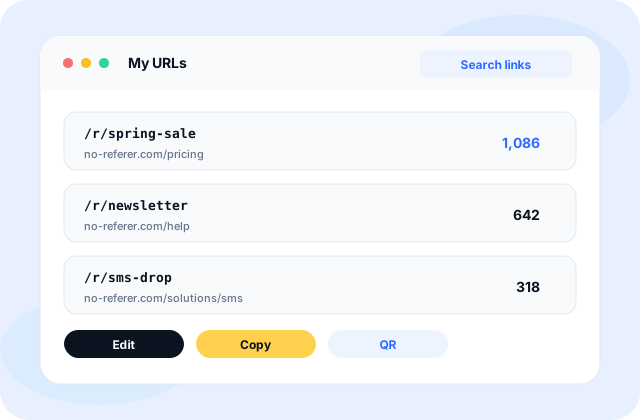
- Open My URLs to confirm destinations, short paths, and click counts.
- Copy a short URL from the list whenever you need to reshare.
Inside My URLs
My URLs shows destinations, short paths, creation dates, and click counts for links tied to your account. Sign in before you create if you want the link saved automatically. Links created while signed out are not moved into My URLs later.
Password and session access protect your history. Use a strong password and sign out on shared devices.
Operator of the service is Nexlume Media LLC. Account questions go to [email protected].